Play Pong Ball online now and enjoy classic pong soccer or a new arcade twist. Pick classic mode for simple two goal play or switch to arcade to add rocks and coins for unpredictable action.
The game loads instantly in your browser and uses simple touch or keyboard controls. Try to collect coins, avoid rocks, and outsmart the AI to get the best score.
Need Help?
Watch Walkthrough
Stuck? Watch the guide, then scroll up to keep playing.
Video loads when visible
Desktop
- Use Up Arrow and Down Arrow keys to move your paddle up and down.
- W and S keys work as alternate controls for up and down.
- You can also click and drag the left side of the play area with the mouse to move the paddle.
- Press Space to pause or resume the game.
Mobile
- Touch and drag on the left side of the screen where your goal is to move your paddle up or down.
- Swipe up to push the ball upward and swipe down to push it downward to change direction.
- Tap with two fingers or use on-screen pause button to pause the game.
Keep Playing
More Games Like This
Fans of Pong Ball also play these Soccer games.
Tap Goal
16 views

Grimace Ball Jumpling
13 views
Soccer Rush
13 views
Goal Arena 3D
13 views
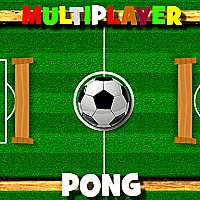
Multiplayer Pong Time
12 views
Run and Shoot: GOAL!
11 views
European Football Jersey Quiz
11 views
Football Shoot League
11 views

Euro Freekick Frenzy
11 views

Stickman Roof Runner
11 views

Shaolin Soccer
10 views
Pawn Shop Master
10 views
Pong Ball is a fast arcade soccer pong game that mixes classic ping pong gameplay with soccer style goals. You control a paddle in front of your goal and deflect the ball to prevent the AI from scoring. The game offers two main modes: Classic mode for pure pong soccer action and Arcade Soccer Pong mode that adds obstacles and collectible coins for extra points.
In Arcade mode you can place 1 to 5 rocks on the field to change ball trajectories and create unpredictable bounces. You can also enable coins that spawn on the field. To collect a coin you must hit it with the ball. Score by collecting coins and by outplaying the AI. Options let you switch modes and adjust the number of rocks and coin visibility. The controls are simple so you can play quickly on mobile or desktop. The game rewards timing, angle control, and clever use of obstacles to trick the opponent.
- Objective: Defend your goal and score points by making the ball pass the opponent or by collecting coins.
- Gameplay mechanics: Paddle movement, ball deflection angles, obstacle collision physics, and coin pickup.
- Why play: Short sessions, high replay value, and easy controls with strategic depth when obstacles are active.
Game Details
Category
Soccer
Developer
Unknown
Technology
HTML5
Platform
Web Browser
Devices
Desktop, Tablet, Mobile
Game Features
Classic Pong Soccer
Play the original ping pong soccer mode with clear rules and fast matches.
Arcade Mode with Obstacles
Add 1 to 5 rocks to the field to create unpredictable bounces and dynamic play.
Collectible Coins
Enable coins in arcade mode to earn extra points by hitting the ball into coins.
Simple Controls
Easy touch or keyboard controls let you start a game in seconds and focus on skill.
Adjustable Game Options
Use the Game Mode options to switch modes and tune rocks and coin settings for varied challenges.
Frequently Asked Questions
Enable coins in Arcade mode and hit a coin with the ball. The coin disappears and adds to your score when the ball contacts it.
Open Options, go to the Game Mode tab, and use the scrollbar to pick Classic or Arcade. Arcade mode reveals extra settings for rocks and coins.
Yes. The game supports touch controls on mobile and keyboard or mouse controls on desktop for the same gameplay experience.
In Arcade mode go to Options then Game Mode. Use the rock setting to choose how many rocks appear on the field from the available range.
Use timing and angle control to deflect the ball. In Arcade mode use rocks to create unpredictable bounces and aim to hit coins for extra points.