Play Polygon Flight Simulator online for a quick and fun flying experience. This browser game lets you pilot low-poly planes between airports with simple controls and checkpoint-based routes that make every flight clear and rewarding.
Whether you want a casual flight or practice basic piloting skills, Polygon Flight Simulator delivers smooth handling and predictable physics so you can focus on navigation and landing. Start a flight now and enjoy an easy to learn, satisfying airborne journey.
Need Help?
Watch Walkthrough
Stuck? Watch the guide, then scroll up to keep playing.
Video loads when visible
Desktop
- W / S or Up / Down arrows: increase and decrease forward speed or pitch depending on game mode
- A / D or Left / Right arrows: move or yaw left and right
- Mouse drag: push up to climb, drag down to descend, drag left/right to bank and steer
- TAB: open in-game menu
- Esc: pause or return to main menu (if supported)
Mobile
- Touch and drag: control pitch and roll (drag up to climb, drag down to descend, drag left/right to turn)
- On-screen joystick or left-side drag: move aircraft forward/strafe as available
- On-screen buttons: throttle up and throttle down where provided
- Tap menu icon: open game menu and settings
Keep Playing
More Games Like This
Fans of Polygon Flight Simulator also play these Action games.
 4.1
4.1
Magic Cat Academy 3
14,641 views
 4.0
4.0
Magic Cat Academy 2
9,731 views
 3.5
3.5
Blockpost Game Free Online
6,018 views
 3.9
3.9
Snake Google Doodle
2,246 views

Real Car Parking
214 views
 5.0
5.0
Sniper Mission War
163 views

Poppy Playtime Online Edition
141 views

Slapping King Championship
72 views

Age Of Quest
62 views
 4.0
4.0
Dangerous Jeep Hilly Driver Simulator
57 views

Pumper Crazy Defence
55 views
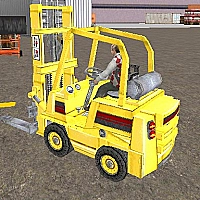 5.0
5.0
Driving Forklift Sim
48 views
Polygon Flight Simulator is an accessible yet engaging online airplane simulator that puts you in control of low-poly aircraft. The main objective is to navigate from one airport to the next while flying through airborne checkpoints that guide your route. Gameplay focuses on steady piloting, smooth turns, and precise entry into checkpoints to complete each leg of the journey.
Controls are intuitive and responsive. Use the keyboard for basic movement and the mouse to adjust pitch and roll for a natural flying feel. The simulator blends casual arcade action with light simulation mechanics, making it suitable for new pilots and experienced players who want a relaxed flying session. Visuals are clean and minimal, prioritizing performance and clear navigation over complex graphics. Expect short flights, quick sessions, and a simple progression of routes and challenges as you master the skies.
Game Details
Category
Action
Developer
Unknown
Technology
HTML5
Platform
Web Browser
Devices
Desktop, Tablet, Mobile
Game Features
Easy to Learn Controls
Simple keyboard and mouse input makes jumping into a flight fast for new players.
Checkpoint Navigation
Follow airborne checkpoints that guide routes and provide clear objectives for each flight.
Low-Poly Visuals
Clean polygon art gives good performance and a stylish, minimal look across devices.
Short, Replayable Flights
Quick routes and short missions let you enjoy many flights in a short time.
Accessible for All Skill Levels
Controls and gameplay suit beginners while offering room for players to improve precision.
Browser Ready
Play instantly online with no installation, ideal for casual play on desktop or mobile.
Frequently Asked Questions
Choose a route or airport and press the start button. Use the listed controls to taxi and take off, then follow checkpoints to your destination.
Use W/A/S/D or arrow keys for movement and speed adjustments. Drag the mouse to pitch and roll. Press TAB to open the menu.
Yes. The game supports touch controls. Use touch drag for pitch and roll and on-screen buttons for throttle and menu actions.
Fly through each visible checkpoint on the route. Passing them in order advances your progress toward the next airport.
The game focuses on accessible arcade style play with routes of increasing challenge. Difficulty is primarily set by route complexity and player skill.