Play MC8Bit online now and team up with a friend in a fast 2-player 8-bit platformer. Guide Alex and Steve through spooky forest levels, collect all obsidian stones, and open the portal to move on.
The controls are simple and clear for quick matches. Use WASD and Arrow Keys on desktop or touch controls on mobile to jump, run, and cooperate to beat monsters and finish each level.
Need Help?
Watch Walkthrough
Stuck? Watch the guide, then scroll up to keep playing.
Video loads when visible
Desktop
- Player 1: W = Jump, A = Move left, D = Move right
- Player 2: Up Arrow = Jump, Left Arrow = Move left, Right Arrow = Move right
- Use Enter or on-screen UI to start or pause if available
Mobile
- On-screen buttons: left and right to move
- Jump button to jump
- Tap action or interact buttons when shown
- Two player mode uses split touch areas or on-screen controls for each player
Keep Playing
More Games Like This
Fans of MC8Bit also play these 2 Player games.
 5.0
5.0
Would you Rather?
35 views

Fireboy and Watergirls.IO
19 views

Weee...
19 views

Fish Eat Getting Big
19 views
Neon Slimes
18 views

Daisy Bunny Dress up
16 views

Fish Eat Fish 2
15 views
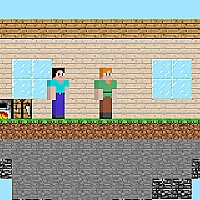
Steve and Alex
14 views

Duo Water and Fire
13 views
Color Block
12 views

CHECKERS - Dames
11 views

Black and White Stickman
11 views
MC8Bit is a retro style 2D platformer built for local two player fun. You control Alex and Steve as you leave the safety of your house and move through spooky forest levels filled with hazards and monsters. The main objective is simple and clear: collect every obsidian stone in a level so the portal can form. Without all stones collected you cannot open the portal and progress to the next stage.
Gameplay mixes careful platforming with cooperative play. Players move across platforms, avoid or defeat monsters, and search each area for hidden or guarded obsidian stones. Your pickaxe will not work in these forest battles, so you must rely on timing, movement, and level items to overcome threats. MC8Bit focuses on short, fast levels that reward quick thinking and teamwork. The game appeals to players who enjoy classic 8-bit visuals, shared local play, and straightforward arcade style objectives.
Game Details
Category
2 Player
Developer
Unknown
Technology
HTML5
Platform
Web Browser
Devices
Desktop, Tablet, Mobile
Game Features
Local 2-Player Coop
Play side by side on one keyboard or device and cooperate to clear levels and collect stones.
Retro 8-Bit Style
Classic pixel visuals and chiptune inspired sounds for a nostalgic arcade feel.
Obsidian Portal Goals
Collect every obsidian stone in a level to form the portal and unlock the next stage.
Quick, Challenging Levels
Short levels that test timing, positioning, and teamwork against forest monsters.
Simple, Accessible Controls
Easy to learn WASD and Arrow Key controls plus touch support for fast pick up and play.
Frequently Asked Questions
Open the game on this site and choose a single device local two player session or play solo. Use the listed controls to move and jump through levels.
You must collect all obsidian stones in the level. Once every stone is collected the portal appears and you can enter to go to the next level.
Yes. The game supports touch controls with on-screen buttons for movement and jumping. Two player touch control uses separate control areas on the screen.
Player 1 uses WASD (W to jump, A/D to move). Player 2 uses the Arrow Keys (Up to jump, Left/Right to move).
No. The pickaxe does not work against monsters in the forest. You must avoid, outmaneuver, or use level items to deal with threats.