Play Kids Education online for free to give children fun, short lessons that teach letters, numbers, shapes, and logic. The game mixes puzzles, reading practice, and tracing activities designed for young learners.
Use simple tap or click controls to complete levels, earn stickers, and build skills. Kids Education helps children learn while they play and encourages daily practice with clear goals and friendly feedback.
Need Help?
Watch Walkthrough
Stuck? Watch the guide, then scroll up to keep playing.
Video loads when visible
Desktop
- Click left mouse button to select items, letters, or puzzle pieces.
- Click and drag to swap or match pieces in puzzle sections.
- Use the mouse to trace letters and numbers for handwriting practice.
- Press Enter to confirm typed answers where a keyboard input is available.
Mobile
- Tap to select items, letters, or puzzle pieces.
- Drag with your finger to swap or match pieces in puzzle sections.
- Use touch to trace letters and numbers for handwriting practice.
- Tap on answers or on-screen buttons to confirm choices and move to the next activity.
Keep Playing
More Games Like This
Fans of Kids Education also play these Bejeweled games.
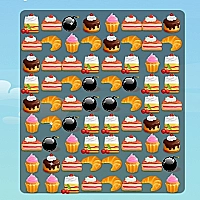




Kids Education is an online educational game built to teach young children core skills through play. The game mixes colorful visuals, short lessons, and playful rewards so learning feels like a game. Children move through several focused sections including puzzle matching, reading practice, handwriting drills, and basic math. Each section uses small, goal based activities to guide progress and build confidence.
Gameplay uses simple interactions so kids can play by themselves. Puzzle sections use match style mechanics that ask players to find shapes, colors, or matching items. Reading and phonics activities present letters and simple words, then ask children to choose or pronounce the correct item. Writing and tracing tasks let kids trace letters or numbers with a finger or mouse to practice strokes. The game tracks level progress and gradually raises challenge to match the child skill level. Visual rewards like stickers and stars motivate repeated play and reinforce learning.
The design focuses on short sessions that hold attention and avoid frustration. Controls are intuitive for preschool and early school age players. Sound cues, clear instructions, and bright graphics help children learn while they play. Parents can use the game as a safe, guided spot for daily practice of reading, writing, logic, and number skills.
Game Details
Category
Bejeweled
Developer
Unknown
Technology
HTML5
Platform
Web Browser
Devices
Desktop, Tablet, Mobile
Game Features
Varied Learning Sections
Includes puzzles, reading, tracing, and simple math so children practice different skills in one game.
Match Style Puzzles
Match and swap tasks use friendly match-3 style mechanics to teach pattern recognition and problem solving.
Handwriting Tracing
Interactive tracing activities let kids practice letter and number strokes using touch or mouse input.
Adaptive Difficulty
Levels get slightly harder as the child succeeds so tasks remain challenging but achievable.
Rewards and Motivation
Stars, stickers, and short celebrations reward progress and encourage repeated play and practice.
Safe Kid Friendly Design
Clear instructions, large buttons, and bright visuals create a simple, low-frustration learning space for young players.
Frequently Asked Questions
Kids Education fits preschoolers and early elementary kids, typically ages 3 to 8, who are learning letters, numbers, and basic problem solving.
Yes. The game supports touch play on phones and tablets. Use tap to select and drag to trace or swap puzzle pieces.
The online version available here is free to play. It uses short activities that work well in single sessions or daily practice.
Progress is usually tracked during the session with visible level and reward markers. If the site supports accounts, progress may save to the user profile; otherwise use the same device and browser to continue similar progress.
Most activities use mouse or touch input. A keyboard may be used when a writing or typed answer is required, but it is not necessary for core puzzle and tracing activities.